If you are unsuccessful at resetting your NetLearning password following the steps below please call Human Resources at 8515, Kelly at 8516, or Darcy at 8517. They will be able to help you reset your NetLearning password.
Resetting your NetLearning Password
1. Go to the links folder located on all CCM Health computer Desktops.

2. Open the General Shortcuts Folder > NetLearning
3. Click on the blue hyperlink on the bottom right hand corner that says "Forgot Password?"

4. You can reset your password 1 of 2 ways. Using your Email Address or Employee ID. (Badge ID doesn't work)
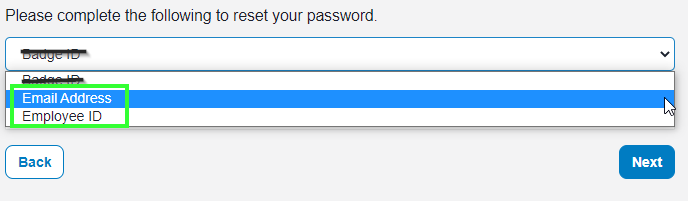
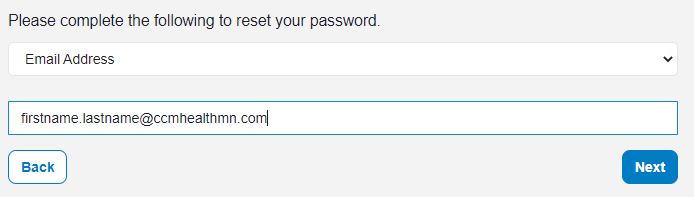
Reset Password Using Email Addess
If you select Email Address, enter you email address below and Select > Next
You will be sent a email from - ForgotPassword@healthcaresource.com
Open your email and click the Reset Password link
You will be brought back to the site to create a New Password
You will get a Confirmation once it was successfully reset

Reset Password Using Employee ID
If you select Employee ID, enter you Employee ID below and Select > Next

You will be prompted to Select a recovery method.

- If you Select Send me An Email Please follow the directions above.
If you Select Answer My Security Question. You will get one of your security questions to answer and Select > Next

You will then be asked to create a new password.
You will get a Confirmation once it was successfully reset.
